
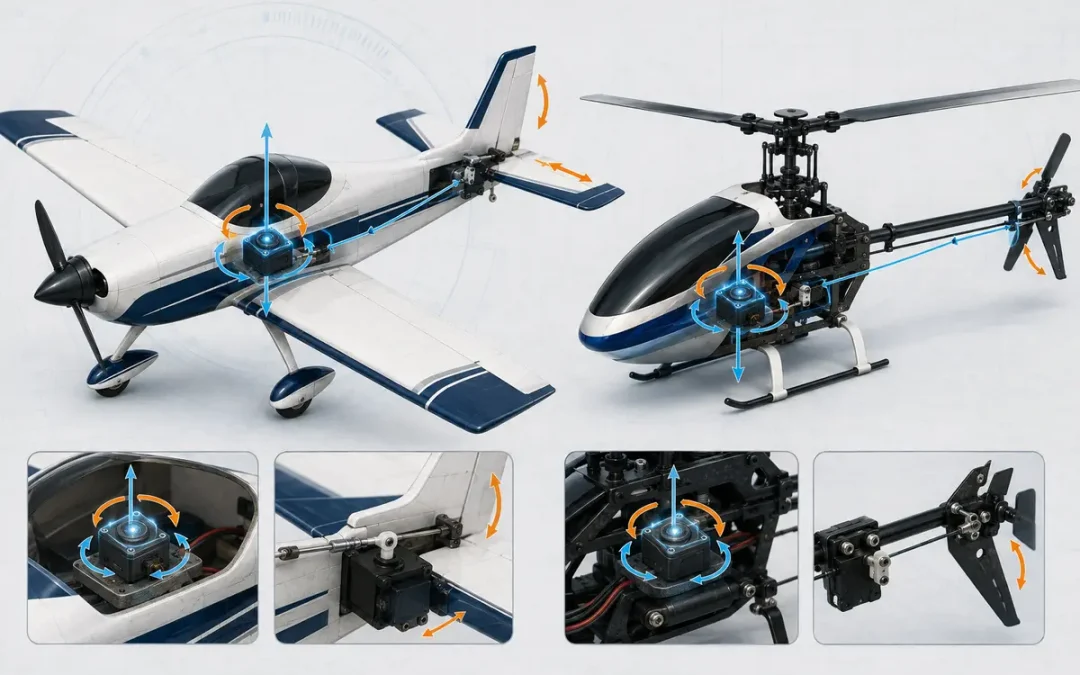
Short Answer: A Piezo Gyro Senses Rotation and Commands a Correction
A piezo gyro detects angular motion of the model, turns that motion into an electrical signal, and sends a correction to a servo or flight controller. The correction helps resist an unwanted yaw, pitch, or roll movement while the pilot flies.
The old post introduced an excellent video explaining the basics of how gyros work. The video is still useful as a visual introduction, but the explanation below gives the page enough context to stand on its own if the video changes or disappears.
What Does a Piezo Gyro Actually Sense?
Older RC gyro designs used a vibrating piezoelectric crystal or element. When the vibrating element is rotated, Coriolis force produces motion in a second direction. The sensor electronics measure that motion and turn it into a rate signal. A controller compares the sensed movement with the commanded movement and drives the servo to reduce the error.
Modern MEMS gyros use a different miniature resonating structure, but the same useful idea applies: the sensor measures angular velocity, not a picture of where the model is in space. Murata’s gyro sensor explanation provides a useful overview of the underlying sensing principle.
What Is the Difference Between Rate and Heading-Hold Mode?
In a normal or rate mode, the gyro works to stop unwanted rotation. When the model is no longer rotating, the correction normally fades and the pilot remains responsible for the attitude.
Heading-hold, often called AVCS by Futaba, keeps applying the correction needed to preserve the commanded attitude or heading. It can make a helicopter or aircraft feel very different from rate mode. The exact behavior depends on the gyro, transmitter, installation, and setup, so use the manual for the unit on your model.
Futaba’s GYA553 manual describes normal and AVCS operation and recommends checking the mode and setup before flight. A gyro is an aid, not a substitute for correct mechanical neutral, linkage geometry, or a sound airframe.
How Should You Install and Check an RC Gyro?
- Mount the gyro in the orientation and location specified by its manufacturer, using the supplied mounting method.
- Keep wires and the sensor clear of vibration, loose hardware, and surfaces that can flex.
- Confirm the servo direction before enabling a high-gain or heading-hold mode. A reversed correction can make the model less stable.
- Start with the manufacturer’s gain range. Excessive gain can produce oscillation or tail wag; too little gain may leave the model under-corrected.
- Test the correction with the motor or engine safely disabled, then perform the complete radio and control-surface check before flight.
Watch the Original Video
The original post embedded this YouTube video using an obsolete Flash object. The video remains available in YouTube’s current player; watch it below or use the direct YouTube link.
Frequently Asked Questions
Does a piezo gyro know the model’s absolute heading?
A basic rate gyro measures angular velocity. It does not automatically know an absolute compass heading. Heading-hold systems estimate and preserve a commanded attitude or heading through feedback, but their behavior depends on the specific unit and setup.
Why does a gyro oscillate?
Oscillation can come from excessive gain, vibration, poor mounting, flexible mechanics, incorrect direction, or linkage and servo problems. Reduce risk by following the unit’s setup procedure and testing at low gain in a safe, controlled manner.
Is a gyro a replacement for mechanical setup?
No. Centered servos, free linkages, secure mounting, correct control direction, and a sound model come first. The gyro should correct small disturbances, not hide a mechanical fault.
Related Radical RC Resources
See Radical RC’s onboard electronics, radio sets, and electronics-interest articles.
Dave